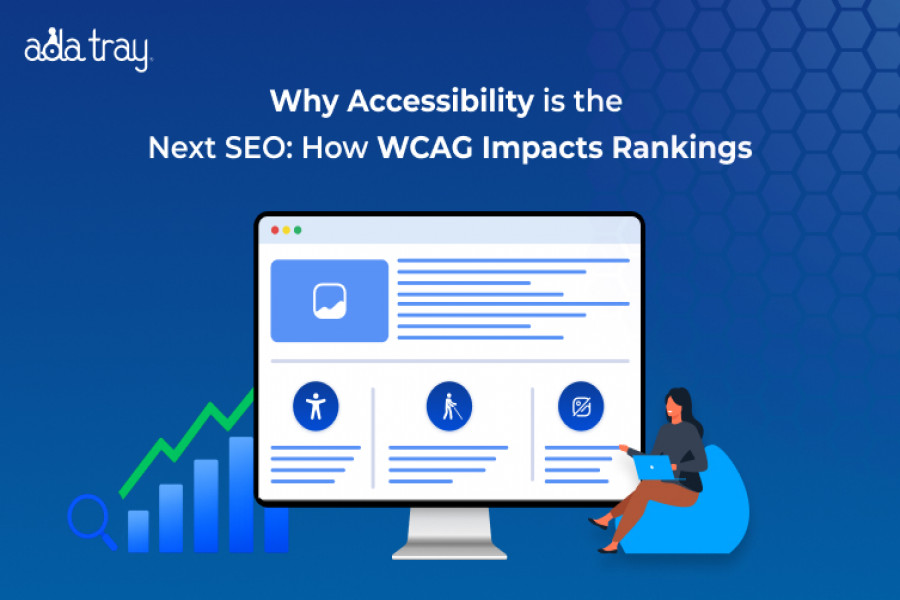
Most website owners treat accessibility and SEO as separate checklists. They shouldn’t. Google’s ranking algorithm increasingly rewards the same qualities WCAG has championed for decades — clear structure, fast performance, usable navigation, descriptive media, and readable content. In this post, ADA Tray® unpacks the science and strategy behind why web accessibility is swiftly becoming the next frontier of search optimization. Whether you’re a developer, marketer, or business owner, you’ll walk away with concrete actions that make your website more inclusive and more discoverable at the same time.
Web accessibility isn't a checkbox — it's the foundation of great digital user experience. Here's how accessible design creates faster, more inclusive, and more findable websites for everyone, and how ADA Tray® helps you get there.
Web accessibility improves user experience by removing barriers that stop people with disabilities from perceiving, navigating, and interacting with a website. Accessible sites are faster, easier to use on any device, rank better in search engines, and reduce legal risk under ADA, WCAG, and Section 508 standards. Solutions like ADA Tray® make this achievable for any business through keyboard navigation, screen-reader support, adjustable contrast, and a dedicated accessibility statement — all without a full website rebuild.
Over 1 billion people worldwide live with some form of disability, and millions more experience temporary or situational limitations every day — a broken arm, a noisy commute, a small phone screen in bright sunlight. When a website is designed to be usable by someone navigating with a keyboard, a screen reader, or limited vision, it becomes measurably easier for every visitor to use. That overlap is exactly why web accessibility and user experience (UX) are no longer treated as separate disciplines. At ADA Tray® by INNsight, we help businesses close that gap with a patent-pending accessibility widget built to align with WCAG 2.1, Section 508, and ADA Title III requirements — while genuinely improving how visitors experience your site. This guide explains what web accessibility means, why it matters, and the practical steps you can take to build a more inclusive, higher-performing website.
Web accessibility is the practice of designing and developing websites, web applications, and digital interfaces so that people with disabilities — including visual, auditory, motor, speech, and cognitive impairments — can perceive, understand, navigate, and interact with them effectively. It applies to every part of a digital experience: page structure, images, forms, buttons, navigation menus, videos, and interactive elements.
Accessibility is guided by the Web Content Accessibility Guidelines (WCAG), published by the World Wide Web Consortium (W3C), and is built around four core principles known as POUR: content must be Perceivable, Operable, Understandable, and Robust. A truly accessible website meets these standards not as an afterthought, but as part of its core design — which is precisely the gap tools like ADA Tray® are built to close for businesses that can't rebuild their site from scratch.
Web accessibility is important because it guarantees equal access to information, services, and commerce for the more than 1 billion people globally who live with a disability — while also protecting businesses from legal exposure and reputational damage.
This combination of ethical responsibility, legal obligation, and commercial opportunity is exactly why web accessibility has moved from a niche IT concern to a board-level priority.
Search engines and screen readers rely on the same underlying signals — clean code, descriptive text, and logical structure — which is why accessibility best practices and SEO best practices consistently overlap.
In short, an accessible website is a more crawlable, more usable, and ultimately more rankable website.
ADA Tray® is built specifically to help websites increase conformity with WCAG 2.1 and Section 508 while supporting ADA Title III compliance efforts — combining the technical standard with practical, real-world implementation.
Improving accessibility doesn't require rebuilding your website from scratch. A focused, prioritized plan — paired with the right tools — gets most businesses to meaningful compliance quickly.
Legal Requirements Businesses Should Know
Enforcement and Risk
In the United States, ADA compliance is largely enforced through private lawsuits and DOJ guidance rather than a formal certification process — which is exactly why proactive compliance, forensic documentation, and a dedicated accessibility statement matter. ADA Tray® has helped clients defend against, and in some cases dismiss, ADA Title III demand letters and lawsuits by pairing its widget with a copyrighted Dedicated Accessibility Statement that documents good-faith accessibility efforts.
Ongoing Compliance
Accessibility is not a one-time fix. Regular audits, monitoring, and evergreen technology updates — the kind ADA Tray® pushes automatically to every subscriber's widget — help businesses keep pace as WCAG guidelines and legal interpretations evolve.
Accessibility Widgets and Automated Tools
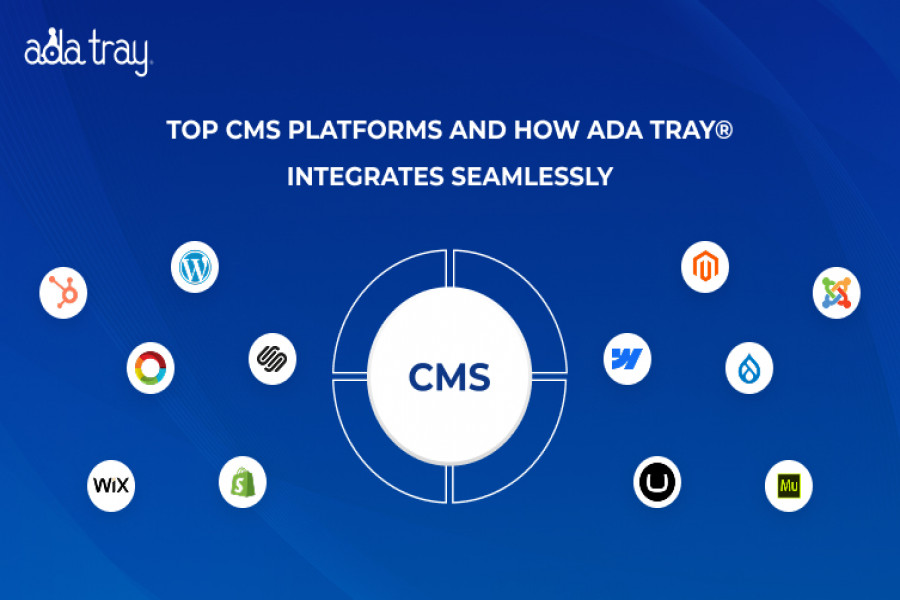
Automated checkers and accessibility widgets can identify and remediate many common issues quickly. ADA Tray® offers a configurable, patent-pending widget with features including full keyboard navigation, an audible page reader, adjustable font size and spacing, contrast and color-blindness filters, animation controls, and a reader view — all deployable through a single line of code or a platform plugin for WordPress, Shopify, Wix, Webflow, Drupal, Squarespace, and custom HTML/CSS sites.
Manual and Expert Audits
Automated scans catch a large share of issues, but manual testing with real screen readers and keyboard-only navigation remains essential for full WCAG conformance, particularly for complex, interactive components.
Training and Documentation
Investing in accessibility training for design and development teams — combined with W3C and WAI resources — helps organizations build accessibility into their process from the start, rather than retrofitting it later.
Dedicated Accessibility Statements
A published, regularly updated accessibility statement communicates your commitment to inclusion, documents remediation efforts, and gives users a clear channel to report barriers — a practice built directly into the ADA Tray® platform.
As more commerce, education, healthcare, and public services move online, the importance of web accessibility will only continue to grow. Accessible websites are not just a legal safeguard — they are a direct investment in user experience, search visibility, and long-term brand trust. Businesses that prioritize accessibility today are better positioned to serve every visitor, avoid costly litigation, and stay ahead of evolving WCAG and ADA standards tomorrow.
ADA Tray® by INNsight makes this achievable in days, not months — combining a configurable accessibility widget, a dedicated accessibility statement, and evergreen updates so your website stays aligned with WCAG 2.1, Section 508, and ADA Title III as standards evolve.
Q1. What is web accessibility and why does it matter?
Web accessibility is the practice of designing websites so people with disabilities can perceive, navigate, and interact with them. It matters because it guarantees equal access to information and services for over a billion people worldwide while helping businesses meet ADA and WCAG obligations.
Q2. How does web accessibility improve user experience?
Web accessibility improves user experience by making navigation, readability, and interaction easier for everyone — not just users with disabilities. Features like clear headings, keyboard navigation, and strong color contrast reduce friction for all visitors, on any device.
Q3. What are the POUR principles of web accessibility?
POUR stands for Perceivable, Operable, Understandable, and Robust — the four principles behind the WCAG guidelines that define how accessible web content should behave across devices and assistive technologies.
Q4. Is web accessibility a legal requirement in the United States?
Yes. The Americans with Disabilities Act (ADA) Title III applies to businesses open to the public, and Section 508 applies to federal agencies and contractors. Non-compliance can result in demand letters, lawsuits, or penalties.
Q5. How can an accessibility widget like ADA Tray® help my website?
ADA Tray® adds keyboard navigation, an audible page reader, adjustable fonts and contrast, and a dedicated accessibility statement to your existing website through a simple code snippet or plugin — increasing conformity with WCAG 2.1 and Section 508 without a full redesign.
Q6. What is the difference between web accessibility and usability?
Usability focuses on how easily any user can complete a task on a website. Web accessibility focuses specifically on removing barriers for people with disabilities. In practice, the two overlap heavily — accessible sites are almost always more usable for everyone.
Q7. Does web accessibility help with SEO rankings?
Yes. Practices like semantic HTML, descriptive alt text, clear navigation, and fast load times support both accessibility and SEO, helping search engines crawl and rank pages more effectively.
Q8. How much does it cost to make a website accessible?
Cost varies by site size and current gaps, but accessibility widgets like ADA Tray® offer a cost-effective way to improve conformity quickly, compared to a full custom redesign or the cost of defending an ADA lawsuit.
Author
Raj Patel
CEO & Founder
Raj Patel, the driving force at INNsight, is changing the game for hotels with his real-world expertise in software and digital marketing. Drawing on his Silicon Valley experience at eBay, Raj keeps things practical. Think of practical tools that work, making hotels shine online and turning digital success for every hotel. Jump on board the INNsight journey, where Raj's hands-on approach brings a touch of reality to revolutionizing the hospitality scene.
Follow him on LinkedIn - www.linkedin.com/in/rajbpatel


This website uses cookies to deliver our services and to show you relevant inventory, property details, and rates for . By using our website, you acknowledge that you have read and understand our Cookie Policy, Privacy Policy, and our Terms of Service. Your use of 's services, including the booking of online reservations, is subject to these policies and terms.

 4
4
These Cookies are strictly necessary to provide you with services available through our websites and to use some of its features, such as access to secure areas and to book accommodations.
These Cookies are used to enhance the performance and functionality of our websites but are non-essential to their use. However, without these Cookies, certain functionality (like videos) may become unavailable.
6
These Cookies collect information that is used either in aggregate form to help us understand how our websites are being used or how effective our marketing campaigns are, or to help us customize our websites for you.
2
These Cookies are used to make advertising messages more relevant to you. They perform functions like preventing the same ad from continuously reappearing, ensuring that ads are properly displayed for advertisers, and in some cases selecting advertisements that are based on your interests.
2
These Cookies are used to enable you to share pages and content that you find interesting on our websites through third-party social networking and other websites. These Cookies may also be used for advertising purposes, too.
What Are Cookies?
Cookies are small data files that are placed on your computer or mobile device when you visit a website. Cookies are widely used by website owners in order to make their websites work, or to work more efficiently, as well as to provide reporting information.
Cookies set by the website owner are called “first party cookies.” cookies set by parties other than the website owner are called “third party cookies.” Third party Cookies enable third party features or functionality to be provided on or through the website (e.g. like advertising, interactive content, analytics, etc….). The parties that set these third party Cookies can recognize your computer both when it visits the website in question and also when it visits certain other websites.
Why Do We Use Cookies?
We use first and third party Cookies for several reasons. Some Cookies are required for technical reasons in order for our websites to operate, and we refer to these as “strictly essential” or "strictly necessary” Cookies. Other Cookies also enable us to track and target the interests of our users to enhance the experience on our website. Third parties serve Cookies through our website for advertising, analytics, and other purposes.
The law states that we can store cookies on your device without prior consent for strictly essential or strictly necessary cookies. For all other types of cookies we need your permission. You can at any time accept, reject, or change the cookie settings on this website at any time by clicking on the cookie settings link.
 Related Blogs