Web accessibility compliance isn't a single standard — it's a layered framework of laws, guidelines, and technical specifications. This guide from ADA Tray® breaks down the real differences between the Americans with Disabilities Act (ADA), Web Content Accessibility Guidelines (WCAG 2.1), and Section 508 of the Rehabilitation Act. You'll learn who each standard applies to, how they overlap, what happens when you're non-compliant, and exactly how tools like the ADA Tray® web accessibility widget and ADA compliance website services can help you close the gap — quickly, affordably, and without a developer.
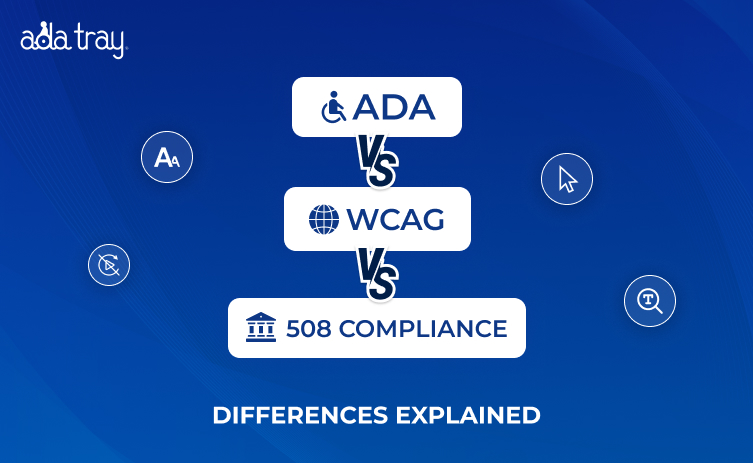
If you've ever searched for "how to make my website accessible" and walked away more confused than before — you're not alone. Three acronyms keep surfacing: ADA, WCAG, and Section 508. They sound related. They are related. But they are not the same thing, and treating them as interchangeable is one of the most common (and costly) mistakes website owners make.
At ADA Tray®, we've helped hundreds of businesses — from independent hotels to e-commerce brands — navigate this exact confusion and achieve meaningful ADA compliance website services without the legal headache. Before we go deep into the differences, here is the shorter version.
They overlap. They reference each other. But they have different legal weights, different scopes, and different enforcement mechanisms. Let's break each one down.
The ADA was signed into law in 1990 — long before the web as we know it existed. It was designed to ensure that people with disabilities have equal access to employment, public accommodations, transportation, and government services.
Title III of the ADA applies to "places of public accommodation" — and through a growing body of case law, courts have consistently ruled that websites operate as places of public accommodation. That ruling has enormous implications for every business operating online.
ADA Title III lawsuits targeting websites have exploded. Plaintiffs — sometimes referred to as serial or "click-by" filers — scan websites for accessibility violations and file complaints. Industries like hospitality, retail, food service, and healthcare have been hit hardest. ADA Tray® has directly helped clients get such lawsuits dismissed and has been featured on CBS KPIX 5 to discuss this growing legal threat.
Here's the critical nuance most people miss: the ADA doesn't specify technical standards for websites. It says you must be accessible, but it doesn't tell you exactly what "accessible" means in technical terms. That's where WCAG comes in.
WCAG is developed and maintained by the World Wide Web Consortium (W3C), the international body that sets web standards. It is not a law. It is a technical framework — but it has become the de facto legal benchmark for what counts as an accessible website under both the ADA and Section 508.
The current widely enforced version is WCAG 2.1, which builds on the original WCAG 2.0 and adds criteria specifically addressing mobile accessibility and users with cognitive and low-vision disabilities. WCAG 2.2 was published in October 2023, and while awareness is growing, WCAG 2.1 compliance remains the primary standard cited in legal enforcement and regulatory guidance as of 2025.
All WCAG success criteria are organized under four core principles. Your website must be:
WCAG defines three levels of conformance:
For legal protection under the ADA and Section 508, WCAG 2.1 Level AA is the target.
When a plaintiff's attorney or the Department of Justice evaluates a website's accessibility, they use WCAG 2.1 AA as the measuring stick. In 2024, the DOJ issued a final rule under Title II formally establishing WCAG 2.1 AA as the required standard for state and local government websites. Courts have consistently used WCAG as the reference point in civil litigation. Achieving WCAG ADA compliance is not a separate effort — they are the same effort measured by the same yardstick.
Deploying an ADA compliance widget like ADA Tray® directly helps businesses meet WCAG 2.1 success criteria across multiple guidelines — keyboard navigation (Guideline 2.1), font resizing (1.4.4), contrast enhancement (1.4.3 and 1.4.6), and more.
Section 508 is an amendment to the Rehabilitation Act of 1973, updated significantly in 2018 with what's known as the "Section 508 Refresh." It requires that all federal agencies and federally funded organizations develop, procure, maintain, and use information and communications technology (ICT) that is accessible to people with disabilities.
If your business operates entirely in the private sector with no government contracts or federal funding, Section 508 is technically not directly enforceable against you. However, WCAG 2.1 Level AA — which Section 508 now incorporates by reference — remains the technical benchmark under the ADA for private entities.
The 2018 Section 508 Refresh was a landmark update. It replaced the old 508 technical standards with a direct incorporation of WCAG 2.0 Level AA (and allows for the more current WCAG 2.1 updates to apply). This means:
| Feature | ADA | WCAG 2.1 | Section 508 |
|---|---|---|---|
| Type | U.S. Civil Rights Law | Technical Guidelines (W3C) | Federal Law |
| Who It Governs | Private biz, state/local govt | Anyone building web content | Federal agencies, contractors, funded orgs |
| Technical Standards | Defers to WCAG | IS the technical standard | References WCAG 2.1 AA |
| Enforcement | Private lawsuits, DOJ | No direct enforcement — cited in law | Section 508 complaints, DOJ |
| Applies to Private Biz? | Yes (Title III) | N/A (it's a guideline) | Only if federally funded |
| Legal Benchmark | WCAG 2.1 AA (in practice) | Self-contained framework | WCAG 2.1 AA (incorporated) |
| Current Version | ADA (1990, updated) | WCAG 2.1 (2018), 2.2 (2023) | Refreshed 2018 |
Here's the honest truth: these three frameworks are designed to work together, not as separate silos. Think of it as three concentric circles:
The practical upshot for most businesses: build a WCAG 2.1 Level AA compliant website, and you've addressed all three frameworks simultaneously — including your legal defense under ADA Title III.
Web accessibility lawsuits are expensive — not just in legal fees but in reputational damage and settlement costs. ADA Title III lawsuits targeting websites have numbered in the thousands annually, with a significant percentage targeting small and mid-sized businesses. The average cost of defending a single lawsuit — even one you ultimately win — runs into the tens of thousands of dollars in legal fees alone.
Serial plaintiffs' attorneys have industrialized this process. They deploy automated scanning tools to find non-compliant websites and generate demand letters en masse. If your site has poor color contrast, missing alt text, broken keyboard navigation, or inaccessible forms, you're a target.
The contrast is stark: the cost of ADA Tray®'s ADA compliance website services is a fraction of the cost of a single legal defense.
ADA Tray® was purpose-built to help businesses achieve meaningful conformity with ADA Title III, WCAG 2.1 compliance, and Section 508 requirements through a single, patent-pending solution.
The ADA Tray® accessibility tray interface helps demonstrate good-faith compliance effort. Combined with the Dedicated Accessibility Statement — which has been used to defeat serial plaintiff claims — it builds a documented, defensible accessibility posture.
The widget directly supports conformity with:
For organizations requiring 508 compliance accessible web content — federal contractors, funded nonprofits, healthcare providers — ADA Tray® applies the same WCAG 2.1 AA criteria that Section 508 mandates, providing a practical path to compliance across ICT requirements.
ADA, WCAG, and Section 508 are not three mountains to climb. They are one challenge, addressed by one coherent technical standard — WCAG 2.1 Level AA — enforced through three different legal pathways.
The most practical approach for any business with a public-facing website:
ADA Tray® was built precisely for this. It's what thousands of businesses — particularly in hospitality, retail, and services — use to defend against lawsuits, serve disabled users better, and sleep easier at night knowing their digital front door is open to everyone.
Have questions about your specific situation? Check our frequently asked questions or reach out directly — we're here to help.
Q1: Is my website legally required to be ADA compliant?
If you operate a business open to the public — a hotel, restaurant, retail store, law firm, healthcare provider, e-commerce site — courts have broadly ruled that your website is a "place of public accommodation" under ADA Title III. You are not immune simply because you're a small business. Lawsuits have been filed against companies with a single location and modest revenue.
Q2: Does WCAG compliance guarantee ADA compliance?
Meeting WCAG 2.1 Level AA is the strongest available defense. While WCAG compliance doesn't eliminate all legal risk, it is the most widely recognized and legally defensible demonstration of good-faith accessibility effort. Courts look favorably on businesses that have made documented, substantive accessibility improvements.
Q3: What's the difference between WCAG 2.0 and WCAG 2.1?
WCAG 2.1 added 17 new success criteria beyond WCAG 2.0, with a particular focus on:
WCAG 2.1 AA is the current legal standard. WCAG 2.0 AA compliance is no longer considered sufficient protection.
Q4: Is Section 508 only for government websites?
Primarily, yes — but the reach is broader than people think. Federal contractors building software or websites for government use, schools receiving federal Title I or IDEA funding, healthcare organizations billing Medicare or Medicaid, and nonprofits receiving federal grants can all fall under Section 508's scope.
Q5: What is an accessibility widget and does it help with compliance?
A web accessibility widget like the ADA Tray® is a patent-pending toolbar that layers assistive technologies onto any existing website. It enables features such as keyboard navigation, font resizing, screen reading, contrast adjustment, animation freezing, and more — directly addressing WCAG 2.1 success criteria across multiple guidelines.
Q6: Can I get an ADA lawsuit dismissed if I have an accessibility widget installed?
ADA Tray® has a documented track record of helping clients get ADA Title III lawsuits dismissed. A key component is the Dedicated Accessibility Statement — a dynamic, CMS-controlled page that documents your accessibility features, commitments, and contact channels.
Q7: What does a WCAG compliant website actually look like?
A WCAG compliant website has:
Author
Roshan Patel
CEO & Founder
Meet Roshan Patel, the dynamic force propelling INNsight to new heights. As a co-founder, his pragmatic and cost-focused leadership shapes the company's technical strategy and product architecture, ensuring a seamless hotel digital experience. With a hotel management and technology background, Roshan is a driving force in providing INNkeepers the tools they need to economically showcase their properties to cost-conscious travelers. Roshan's impact goes beyond tech, raising INNsight as a game-changer in hotel digital marketing.
Follow him on LinkedIn - Roshan Patel - INNsight


This website uses cookies to deliver our services and to show you relevant inventory, property details, and rates for . By using our website, you acknowledge that you have read and understand our Cookie Policy, Privacy Policy, and our Terms of Service. Your use of 's services, including the booking of online reservations, is subject to these policies and terms.

 4
4
These Cookies are strictly necessary to provide you with services available through our websites and to use some of its features, such as access to secure areas and to book accommodations.
These Cookies are used to enhance the performance and functionality of our websites but are non-essential to their use. However, without these Cookies, certain functionality (like videos) may become unavailable.
6
These Cookies collect information that is used either in aggregate form to help us understand how our websites are being used or how effective our marketing campaigns are, or to help us customize our websites for you.
2
These Cookies are used to make advertising messages more relevant to you. They perform functions like preventing the same ad from continuously reappearing, ensuring that ads are properly displayed for advertisers, and in some cases selecting advertisements that are based on your interests.
2
These Cookies are used to enable you to share pages and content that you find interesting on our websites through third-party social networking and other websites. These Cookies may also be used for advertising purposes, too.
What Are Cookies?
Cookies are small data files that are placed on your computer or mobile device when you visit a website. Cookies are widely used by website owners in order to make their websites work, or to work more efficiently, as well as to provide reporting information.
Cookies set by the website owner are called “first party cookies.” cookies set by parties other than the website owner are called “third party cookies.” Third party Cookies enable third party features or functionality to be provided on or through the website (e.g. like advertising, interactive content, analytics, etc….). The parties that set these third party Cookies can recognize your computer both when it visits the website in question and also when it visits certain other websites.
Why Do We Use Cookies?
We use first and third party Cookies for several reasons. Some Cookies are required for technical reasons in order for our websites to operate, and we refer to these as “strictly essential” or "strictly necessary” Cookies. Other Cookies also enable us to track and target the interests of our users to enhance the experience on our website. Third parties serve Cookies through our website for advertising, analytics, and other purposes.
The law states that we can store cookies on your device without prior consent for strictly essential or strictly necessary cookies. For all other types of cookies we need your permission. You can at any time accept, reject, or change the cookie settings on this website at any time by clicking on the cookie settings link.
 Related Blogs