This blog explains what website accessibility software is, why it matters legally and ethically, how web accessibility standards like WCAG and ADA Title III apply to your business, and how tools like ADA Tray® can help you achieve website ADA compliance quickly and affordably. It covers key statistics, common accessibility barriers, the right features to look for in an accessibility tool, and answers the most frequently searched questions on the topic.
The internet is no longer optional — it’s where your customers browse, book, buy, and make decisions. But for more than 1.3 billion people worldwide living with a disability (WHO, 2023), an inaccessible website doesn’t just mean a bad experience. It means being locked out entirely.
For business owners, this creates two serious problems: a moral responsibility to serve every visitor, and a legal obligation to meet web accessibility standards. Failing on either front can cost you — in lawsuits, lost revenue, and reputation damage.
That’s where website accessibility software comes in. And it’s exactly what ADA Tray® was built to solve.
Whether you’re a hotel owner, an ecommerce merchant, or a small business operator, this guide will walk you through everything you need to know about web accessibility software — what it is, why it matters, what features to look for, and how ADA Tray® can protect your business today.
Website accessibility software refers to a set of tools, widgets, and platforms designed to help websites meet established accessibility standards — making digital content usable by people with visual, hearing, motor, and cognitive disabilities.
These tools range from browser-based testing utilities that identify violations, to fully deployable widgets like ADA Tray® that actively layer assistive technologies onto your existing site without requiring changes to your underlying code.
At its core, website accessibility software addresses a simple but profound challenge: most websites are built for the average user, leaving out tens of millions of people who experience the web differently. Accessibility software bridges that gap.
Depending on the solution, website accessibility software can:
ADA Tray®, developed by INNsight, goes further — offering 30+ individual accessibility features that users can toggle on or off to customize their browsing experience based on their specific disability or preference.
Before diving into how accessibility software helps, it’s worth understanding the legal and technical framework your website must comply with.
The Web Content Accessibility Guidelines (WCAG), published by the World Wide Web Consortium (W3C), are the globally recognized benchmark for web accessibility. WCAG 2.1 Level AA is the most widely required standard and organizes all requirements around four principles:
Despite these clear guidelines, 94.8% of the world’s top one million homepages still have detectable WCAG failures, with an average of 50+ accessibility errors per page. This means the overwhelming majority of websites are not meeting minimum web accessibility standards.
The Americans with Disabilities Act (ADA) was enacted in 1990, but federal courts have increasingly extended its reach to digital spaces. Under ADA Title III, businesses open to the public are required to provide equal access to individuals with disabilities.
While the ADA doesn’t specify exact technical requirements for websites, courts and the Department of Justice (DOJ) consistently reference WCAG 2.1 Level AA as the standard of proof in legal cases. As of 2024, the DOJ has mandated that all state and local government websites achieve WCAG AA compliance.
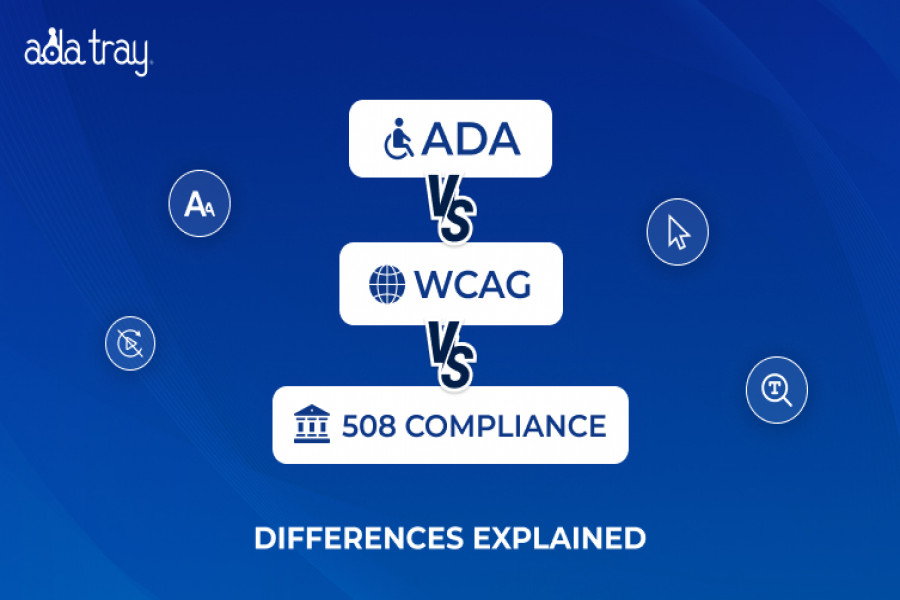
Beyond ADA, businesses serving federal agencies must comply with Section 508 of the Rehabilitation Act, and businesses operating in Europe must meet requirements under the European Accessibility Act (EAA), which took full effect in June 2025. ADA Tray® is engineered to help websites conform to all three major frameworks.
The legal risk of an inaccessible website is real, documented, and growing. Here’s what the data tells us:
The industries most frequently sued include ecommerce and retail, food and beverage, healthcare, hospitality, and education.
Beyond legal protection, accessible websites drive measurable business results:
The numbers are clear: accessible websites don’t just avoid lawsuits. They win more business.
Not all accessibility tools are created equal. When evaluating ADA compliance software for your website, look for the following features:
Users with low vision, color blindness, cataracts, glaucoma, or photosensitivity need ways to adjust how your content looks. Look for high contrast toggles, color inversion, black-and-yellow mode, and font size scaling. ADA Tray® offers all of these, including font scaling up to 200% without disrupting page layout.
Screen reader support is critical for users who are blind or have severe visual impairments. ADA Tray®’s Listen Button activates click-to-audio translation of any text on the page — a feature that helps satisfy multiple WCAG Perceivable criteria.
Users with motor disabilities often cannot use a mouse. Full keyboard accessibility is required under WCAG 2.1 Guideline 2.1 (Operable). ADA Tray® enables every tool in the tray via SHIFT+ key configurations, meeting WCAG Principle 2 requirements directly.
A legally meaningful accessibility statement documents your conformance efforts, lists your accessibility features, and provides a contact channel for users reporting barriers. ADA Tray® includes a copyrighted Dedicated Accessibility Statement powered by a dynamic CMS — and it has been used to successfully defend against serial plaintiffs’ ADA Title III claims.
ADA Tray® includes a Remove Images button for text-only browsing and a Disable Animations toggle for users with epilepsy, vestibular disorders, or ADHD — among 30+ total features.
ADA Tray® is highly configurable — customize placement, iconography, and which features are active. It’s also Evergreen Technology: accessibility updates are pushed to your widget automatically, keeping you current with evolving standards without any action on your part.
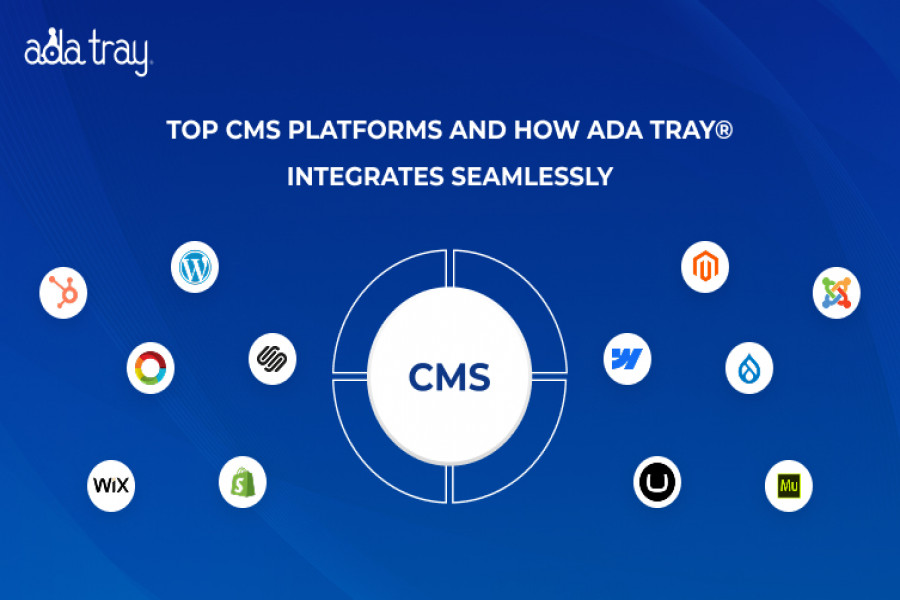
ADA Tray® supports all major CMS and ecommerce platforms including WordPress, Shopify, Wix, Squarespace, Webflow, Weebly, Google Tag Manager, and many more — with no changes to your existing code.
ADA Tray® is a patent-pending cloud-based website accessibility widget designed to make any website more compliant with ADA Title III, WCAG 2.1, and Section 508 — instantly and without a full site redesign.
Choose a plan and start your 30-day free trial. Zero setup costs. No long-term contract required.
ADA Tray® sends you a single line of JavaScript code to paste into your site — or install the plugin directly from your CMS marketplace. No changes to your existing code are needed.
Your website instantly displays the ADA Tray® widget — a floating accessibility icon that users click to summon the tray of 30+ features, each customizable to their needs.
While accessibility software like ADA Tray® significantly improves your website’s accessibility and legal protection, it’s important to understand the full picture.
No software alone can guarantee 100% WCAG conformity. Some accessibility issues — like poorly structured page semantics, missing form labels in your base code, or multimedia without captions — require back-end fixes in addition to a front-end widget.
That said, ADA Tray® is not just a display overlay. It actively repairs detectable WCAG errors with each page load, while also providing users with the controls they need to tailor their experience. For maximum protection, combining ADA Tray® with a manual accessibility audit is the gold-standard approach.
Fast to deploy, no code changes required, cost-effective, and delivers immediate user-facing improvement. Best for small and mid-size businesses seeking practical legal protection and improved UX quickly. ADA Tray® is a patent-pending, hospitality-born solution that has expanded to serve all industries — combining a robust widget with a CMS-powered legal defense tool.
Developer-focused tools that scan code during development. Powerful for engineering teams but require technical expertise and ongoing manual review.
Enterprise-grade solutions combining automation with human expert auditing. Higher cost, suited for large organizations with deep compliance requirements.
What is website accessibility software?
Website accessibility software is a tool or set of tools that helps websites become usable by people with disabilities. It includes features like screen reading support, keyboard navigation, contrast adjustment, font scaling, and animation controls. Solutions range from browser extensions to deployable widgets like ADA Tray®, which adds 30+ accessibility features to any website with a single line of code.
Why is web accessibility software important for my business?
Web accessibility software helps you serve the 1 in 4 U.S. adults who have some type of disability, reduces your legal risk under the ADA and WCAG standards, improves your SEO, and opens your business to a market worth hundreds of billions in spending power. Without it, you risk being inaccessible to a significant segment of potential customers — and being targeted for an ADA lawsuit.
What is ADA compliance software and do I legally need it?
ADA compliance software helps your website meet the requirements of the Americans with Disabilities Act Title III, which requires businesses open to the public to provide equal access to individuals with disabilities. Courts have consistently applied ADA requirements to websites. Tools like ADA Tray® help demonstrate good-faith compliance efforts and actively improve site accessibility.
What are web accessibility standards?
The primary web accessibility standards are the Web Content Accessibility Guidelines (WCAG), developed by the W3C. WCAG 2.1 Level AA is the most widely required version and forms the basis for ADA, Section 508, and European Accessibility Act compliance. The four core principles are Perceivable, Operable, Understandable, and Robust (POUR).
How does ADA Tray® help with website ADA compliance?
ADA Tray® installs via a single JavaScript snippet (or CMS plugin) and immediately adds a user-facing accessibility widget with 30+ features — including keyboard navigation, text-to-speech, contrast controls, font scaling, and a copyrighted Accessibility Statement. It is designed to help websites conform to WCAG 2.1, ADA Title III, and Section 508 — without changing your existing site code.
Can website accessibility software protect me from ADA lawsuits?
While no tool can guarantee immunity from legal action, ADA Tray® demonstrates proactive commitment to inclusion, actively improves site accessibility, and includes a Dedicated Accessibility Statement that has been used to successfully defend against serial plaintiffs’ ADA Title III claims. Combining ADA Tray® with good accessibility practices significantly reduces your legal exposure.
What is the difference between a web accessibility widget and a full audit?
A web accessibility widget like ADA Tray® layers assistive technologies onto your website’s front-end, improving user experience and satisfying several WCAG criteria immediately. A full audit examines your site’s underlying code for structural violations. For maximum protection, use both.
How many people with disabilities use the internet?
According to the CDC, 1 in 4 U.S. adults has some type of disability. The U.S. alone has more than 84 million disabled internet users. Globally, 1.3 billion people (16% of the world’s population) live with a disability that may affect how they access the web. Among them, over 2.2 billion have some degree of vision impairment and 430 million live with disabling hearing loss (Source: https://ddiy.co/web-accessibility-statistics/).
Does making my website accessible improve SEO?
Yes. Many WCAG requirements — such as adding descriptive alt text to images, using proper heading structure, ensuring readable contrast ratios, and providing clear link labels — also improve search engine crawlability and relevance signals. An accessible website is typically a better-structured, more readable website, which search engines reward.
Is ADA Tray® compatible with my website platform?
ADA Tray® supports all major platforms, including WordPress, Shopify, Wix, Squarespace, Webflow, Weebly, and Google Tag Manager. Installation requires no changes to your existing website code — just a single JS snippet or plugin download.
How much does ADA Tray® cost?
ADA Tray® offers a 30-day free trial with no setup fees and no cancellation penalties. After the trial, affordable monthly or annual subscription options are available. Visit pricing for current plan details.
Website accessibility is no longer a niche technical concern — it’s a mainstream legal, ethical, and business priority. With over 5,000 ADA lawsuits filed in 2025 and nearly 94.8% of websites still failing basic accessibility tests, the gap between where most businesses are and where they need to be is enormous.
The good news? Closing that gap doesn’t have to be complicated or expensive.
ADA Tray® was built precisely for business owners who want a straightforward, powerful, and proven solution. With a patent-pending widget, 30+ accessibility features, a CMS-powered legal defense tool, automatic updates, and seamless compatibility with every major website platform — it’s the most practical path to website ADA compliance available today.
Author
Roshan Patel
CEO & Founder
Meet Roshan Patel, the dynamic force propelling INNsight to new heights. As a co-founder, his pragmatic and cost-focused leadership shapes the company's technical strategy and product architecture, ensuring a seamless hotel digital experience. With a hotel management and technology background, Roshan is a driving force in providing INNkeepers the tools they need to economically showcase their properties to cost-conscious travelers. Roshan's impact goes beyond tech, raising INNsight as a game-changer in hotel digital marketing.
Follow him on LinkedIn - Roshan Patel - INNsight
 Related Blogs


This website uses cookies to deliver our services and to show you relevant inventory, property details, and rates for . By using our website, you acknowledge that you have read and understand our Cookie Policy, Privacy Policy, and our Terms of Service. Your use of 's services, including the booking of online reservations, is subject to these policies and terms.

 4
4
These Cookies are strictly necessary to provide you with services available through our websites and to use some of its features, such as access to secure areas and to book accommodations.
These Cookies are used to enhance the performance and functionality of our websites but are non-essential to their use. However, without these Cookies, certain functionality (like videos) may become unavailable.
6
These Cookies collect information that is used either in aggregate form to help us understand how our websites are being used or how effective our marketing campaigns are, or to help us customize our websites for you.
2
These Cookies are used to make advertising messages more relevant to you. They perform functions like preventing the same ad from continuously reappearing, ensuring that ads are properly displayed for advertisers, and in some cases selecting advertisements that are based on your interests.
2
These Cookies are used to enable you to share pages and content that you find interesting on our websites through third-party social networking and other websites. These Cookies may also be used for advertising purposes, too.
What Are Cookies?
Cookies are small data files that are placed on your computer or mobile device when you visit a website. Cookies are widely used by website owners in order to make their websites work, or to work more efficiently, as well as to provide reporting information.
Cookies set by the website owner are called “first party cookies.” cookies set by parties other than the website owner are called “third party cookies.” Third party Cookies enable third party features or functionality to be provided on or through the website (e.g. like advertising, interactive content, analytics, etc….). The parties that set these third party Cookies can recognize your computer both when it visits the website in question and also when it visits certain other websites.
Why Do We Use Cookies?
We use first and third party Cookies for several reasons. Some Cookies are required for technical reasons in order for our websites to operate, and we refer to these as “strictly essential” or "strictly necessary” Cookies. Other Cookies also enable us to track and target the interests of our users to enhance the experience on our website. Third parties serve Cookies through our website for advertising, analytics, and other purposes.
The law states that we can store cookies on your device without prior consent for strictly essential or strictly necessary cookies. For all other types of cookies we need your permission. You can at any time accept, reject, or change the cookie settings on this website at any time by clicking on the cookie settings link.